

Thank you for your interest in Stossel in the Classroom materials and for subscribing to our newsletter. Email providers constantly change their spam filter parameters which impact the delivery of content that you may have subscribed to and are interested in receiving.
By taking a few minutes to whitelist our newsletter email account, you can help us reach your inbox. Whitelisting an email involves telling your email provider that you want emails from that sender to be allowed into your inbox rather than being filtered into spam.
Click below for instructions depending on your mail service.


If you are an Outlook 365 User:
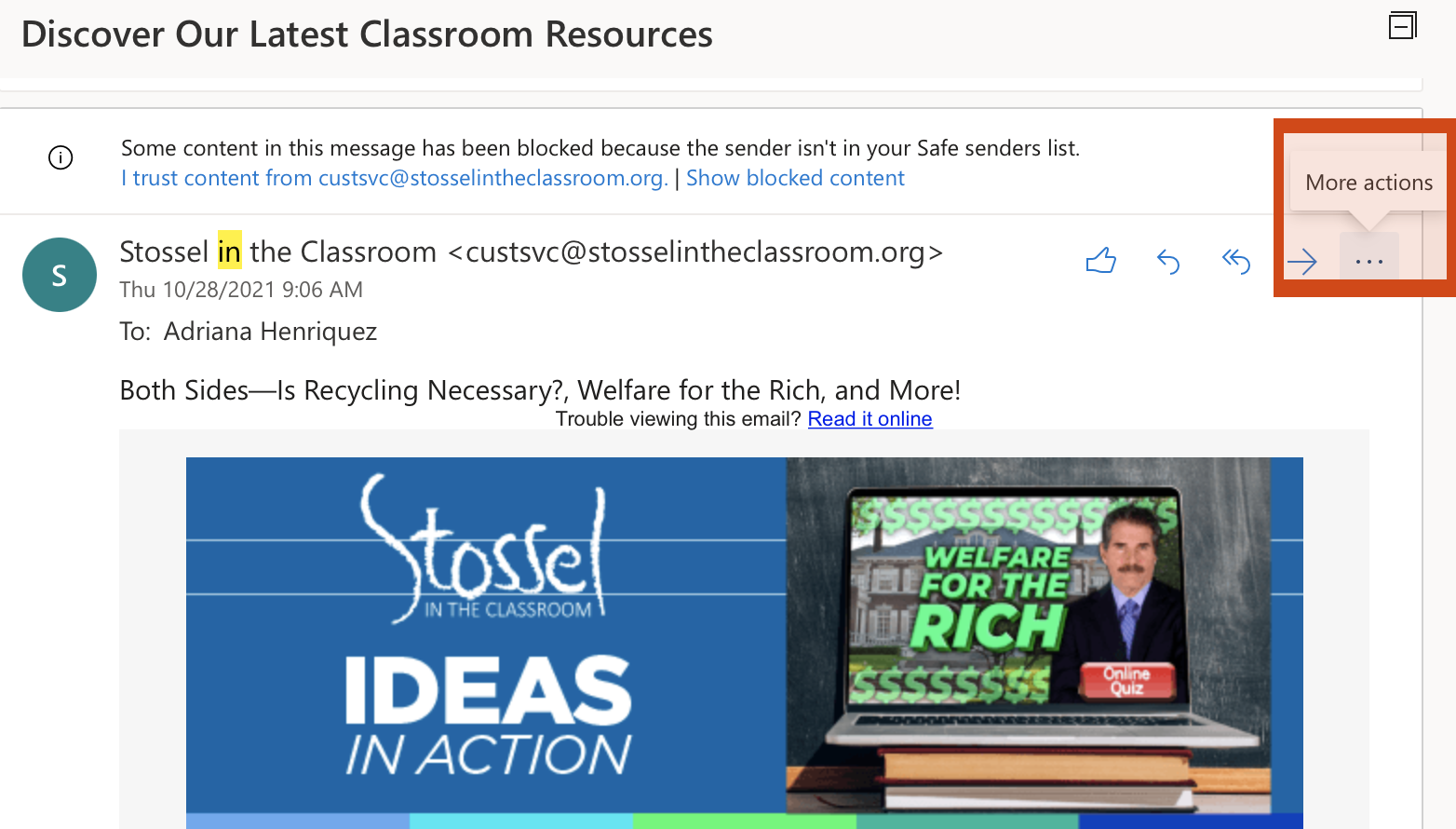
Step 1: Click on the three-dot icon at the top right of the email to obtain “More Actions.”
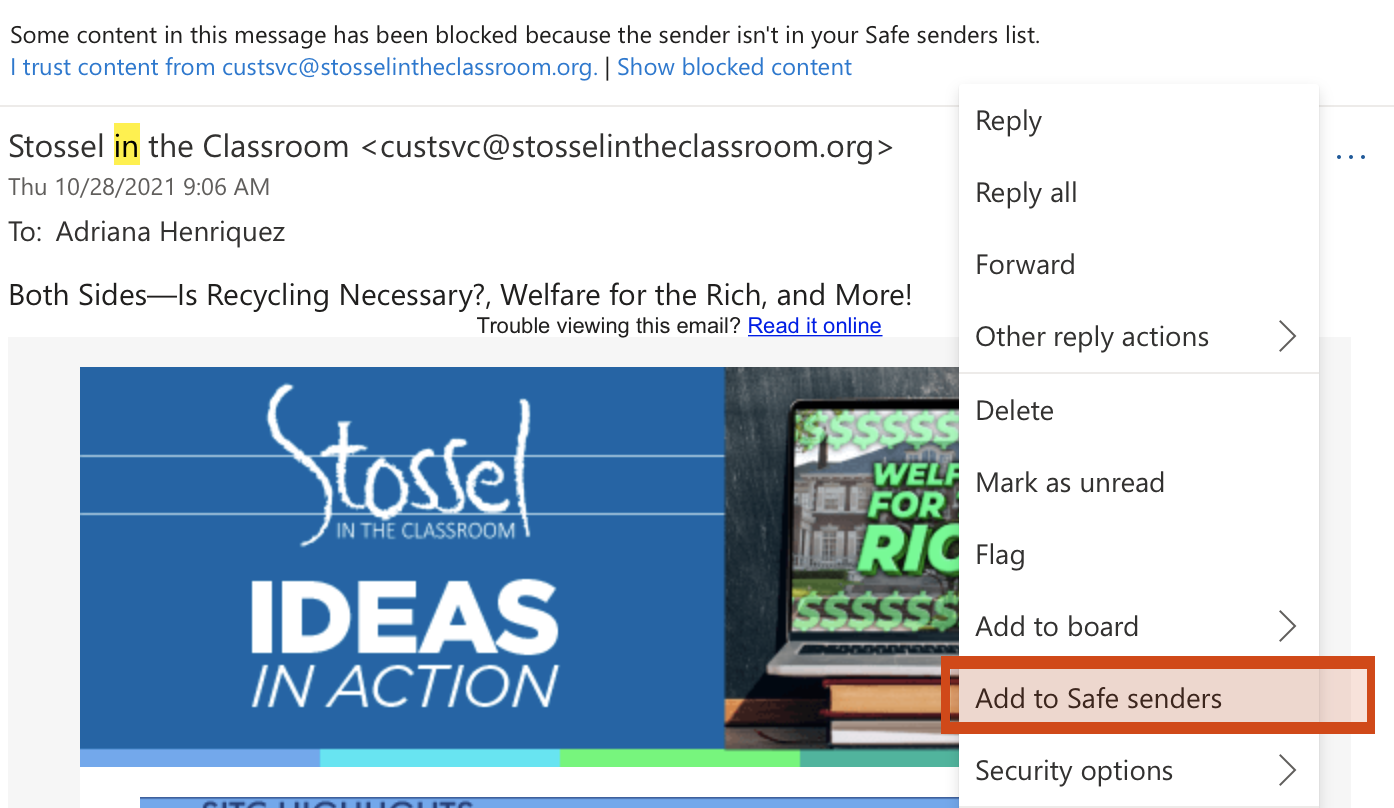
Step 2: A dropdown menu will appear. Click “Add to Safe senders.”
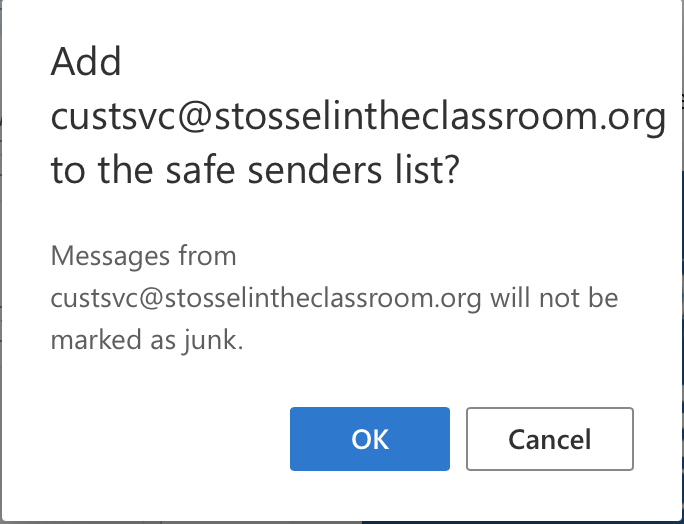
Step 3: A pop-up will appear to confirm your selection. Click “OK.”
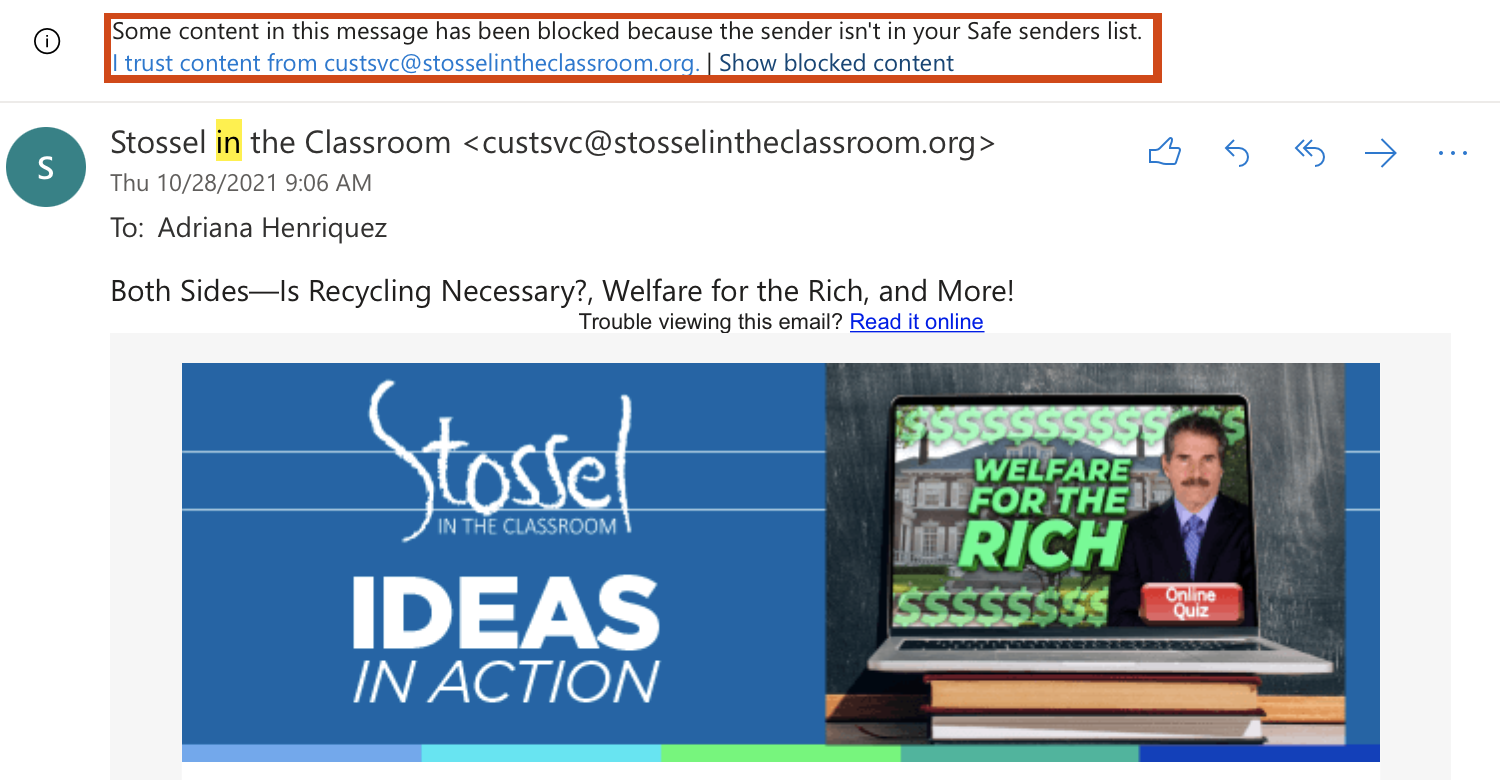
Optional Step: Mark our email “custsvc@stosselintheclassroom.org” as a Safe Sender by clicking on “I trust content from custsvc@stosselintheclassroom.org”
If you are a Yahoo user:
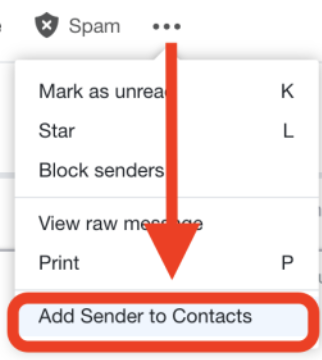
Step 1: Click on the three-dot icon above the email.

Step 2: Select “Add Sender to Contacts.”
Step 3: A window will appear containing the email and name. Confirm that they are correct, then click “Save” at the bottom.
If you are Gmail user on a web browser:
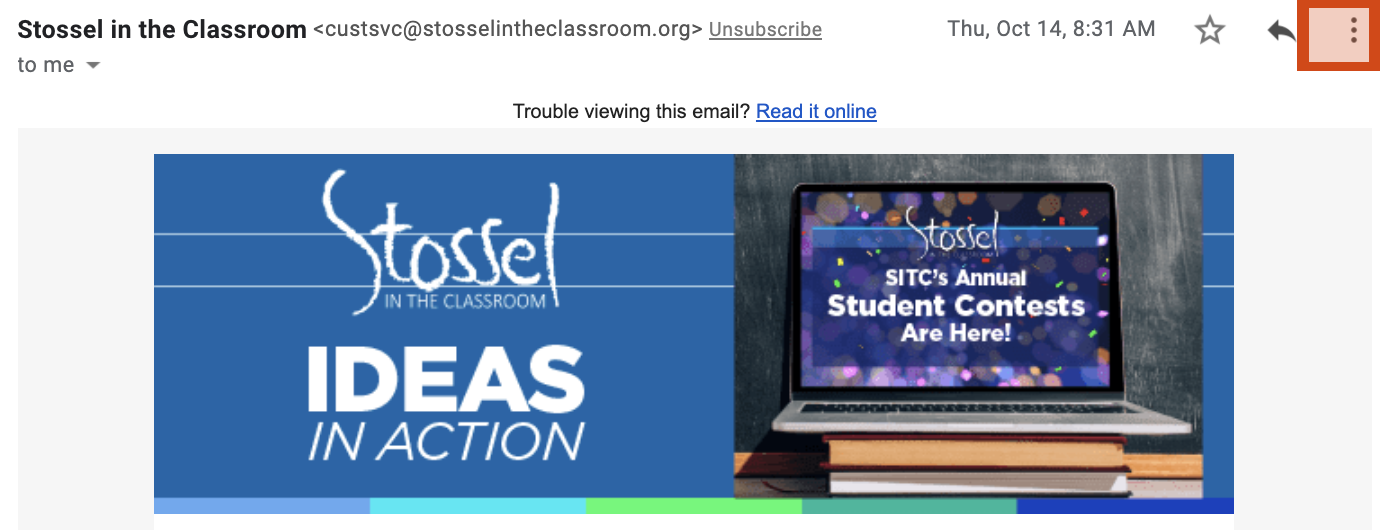
Step 1: Click on the three-dot icon on the right-hand side above the email.
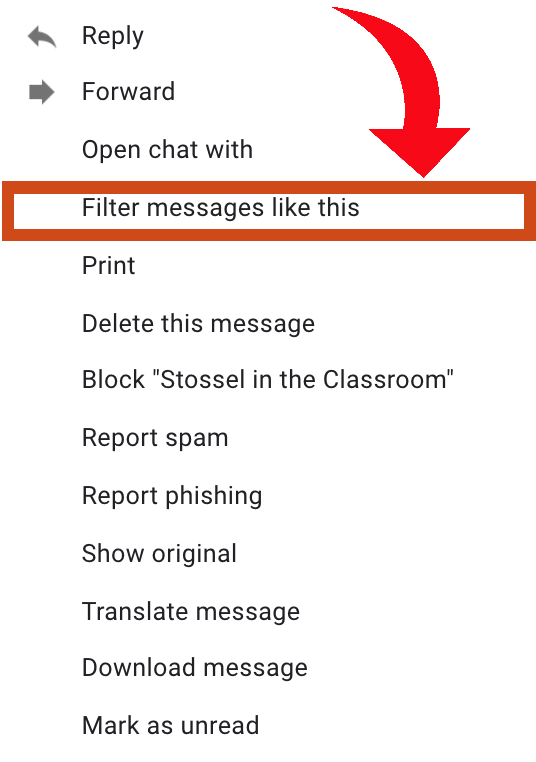
Step 2: Select “Filter messages like this.”
Step 3: On the pop-up screen, click “Create filter.”
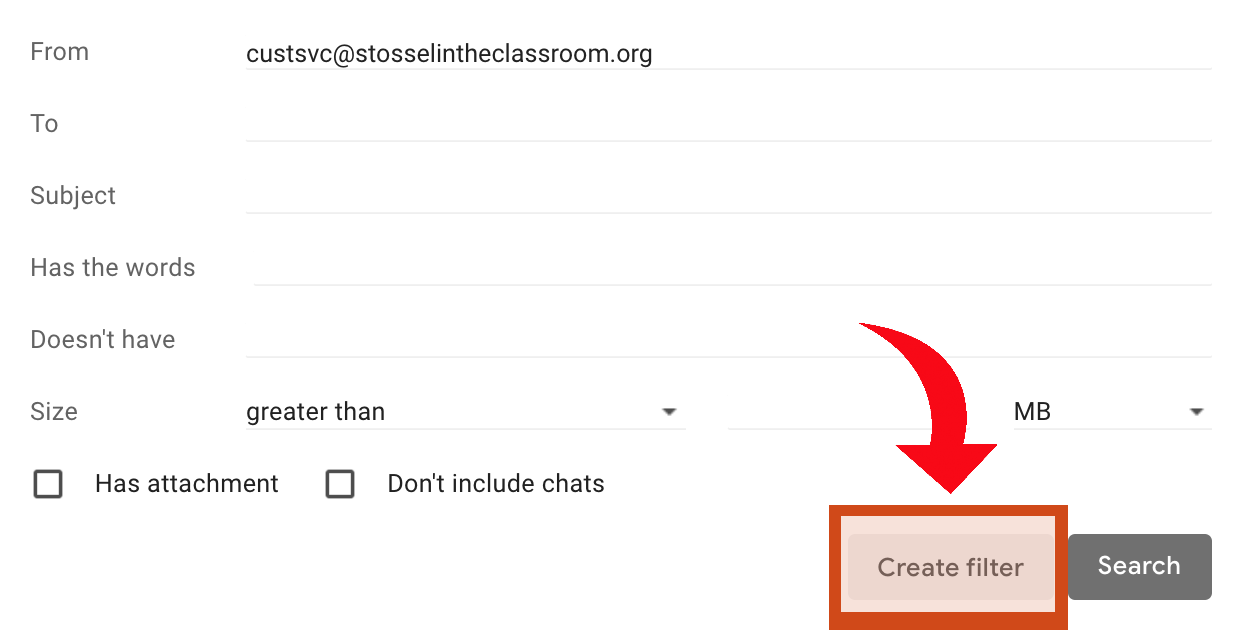
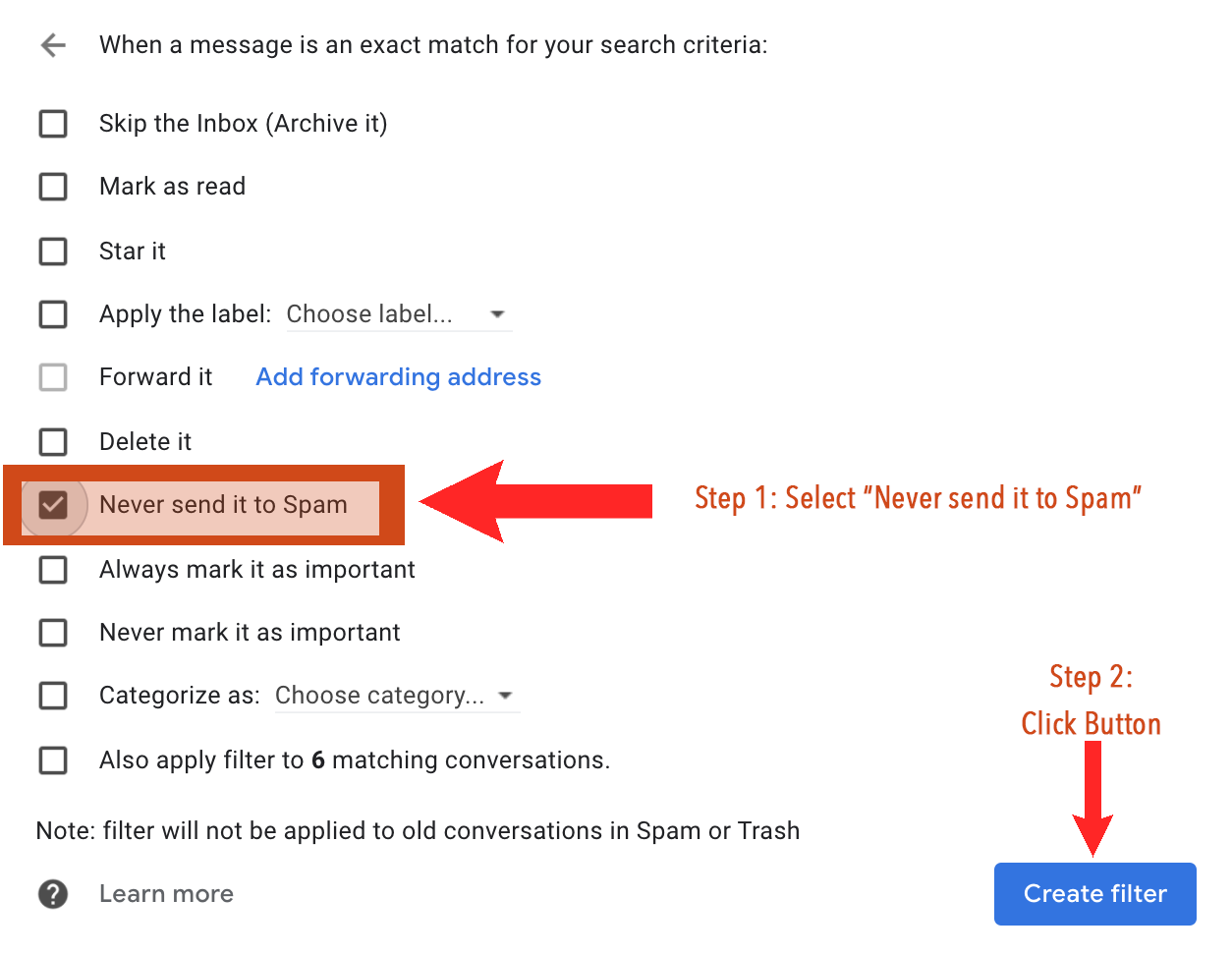
Step 4: Check “Never send it to Spam.” Then click “Create filter.”
If you are a Gmail user on the Gmail Mobile Application:
- Open the Gmail application.
- Navigate to Spam or Junk Folder.
- Click on the message you wish to view.
- Select the option “Report not spam.”
- You will now receive messages from us as normal.
If you still have problems or questions, email adriana@sitc.org.